Setup guide
How to Set Up Kemo IPTV on a Firestick
The Firestick is the most common way people watch, and it is the fastest to set up. You need your login details from us, and about six minutes.
You need the username, password and server URL we send after you subscribe. If you have not got them yet, message us and we will sort it out.
- 01
Allow apps from unknown sources
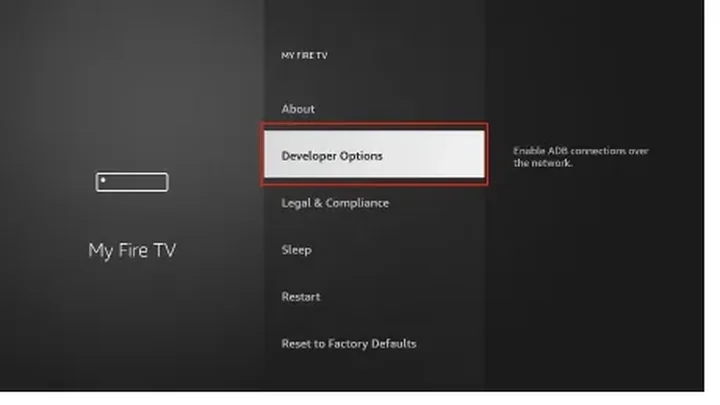
From the Fire TV home screen open Settings, then My Fire TV, then Developer Options. Turn on Apps from Unknown Sources. This is what lets you install an IPTV player that is not in the Amazon store.
- 02
Install the Downloader app
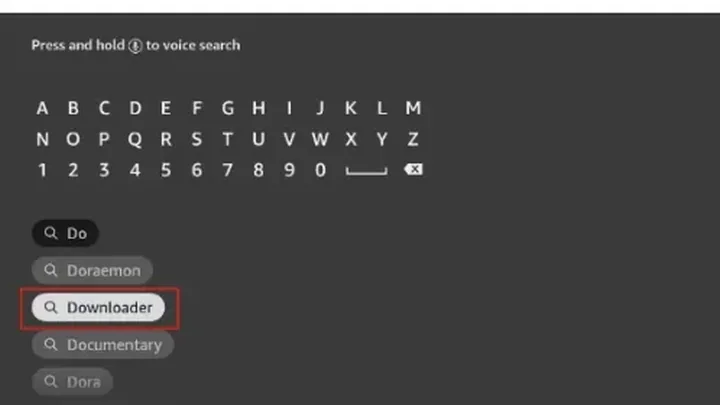
Search the Amazon appstore for Downloader and install it. Open it once so it has permission to run.
- 03
Install IPTV Smarters Pro
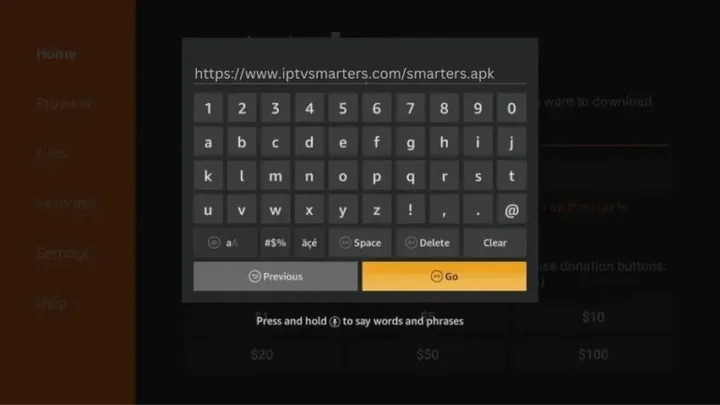
In Downloader, enter the official Smarters Pro download address, install the file when it finishes, then delete the installer to free space.
- 04
Enter your login details
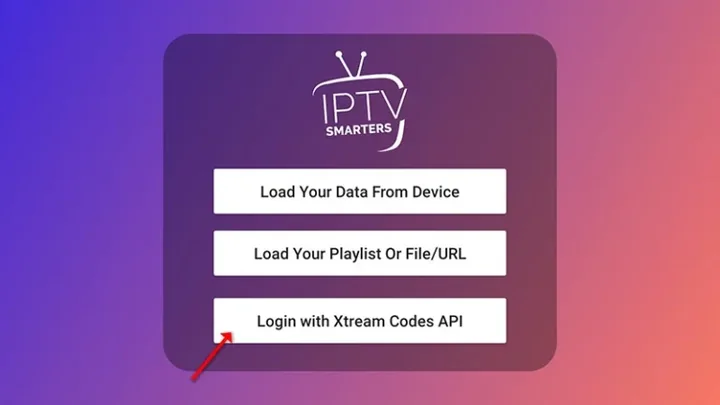
Open Smarters Pro, choose Login with Xtream Codes API, and enter the username, password and server URL we sent you. Give the profile any name you like.
- 05
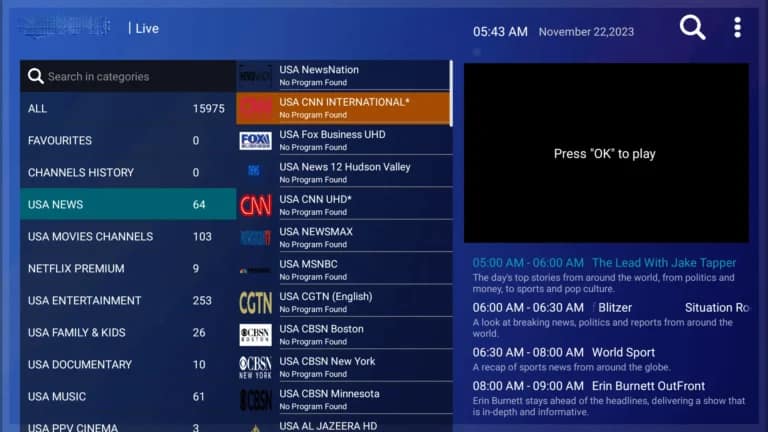
Let the channel list load
The first load pulls the full guide and can take a minute or two. Leave it alone until it finishes — interrupting it is the usual cause of a half-loaded list.


Worth knowing
- If the picture stutters on Wi-Fi, an ethernet adapter for the Firestick is the single biggest improvement you can make.
- A first-generation Firestick will struggle with 4K. HD streams are the better choice on older hardware.
Still not working?
The troubleshooting page covers buffering, login failures and a blank guide in the order worth trying them. Every plan includes a 7-day money-back guarantee, so a setup we cannot fix is not a setup you are stuck with.